Linked bank accounts
A second institution uses the same account-card structure.
BankShift · Financial technology
A mobile banking experience connecting account overviews, money movement, and financial product discovery.
Original interface designs from the BankShift project. Select a screen to explore it in HD.
My contribution · Design & front-end
I worked on BankShift as a designer and front-end developer. Explore the selected mobile interface designs, from a linked-account overview to a focused transfer flow.
 Explore this screen ↗
STEP 01 / 04
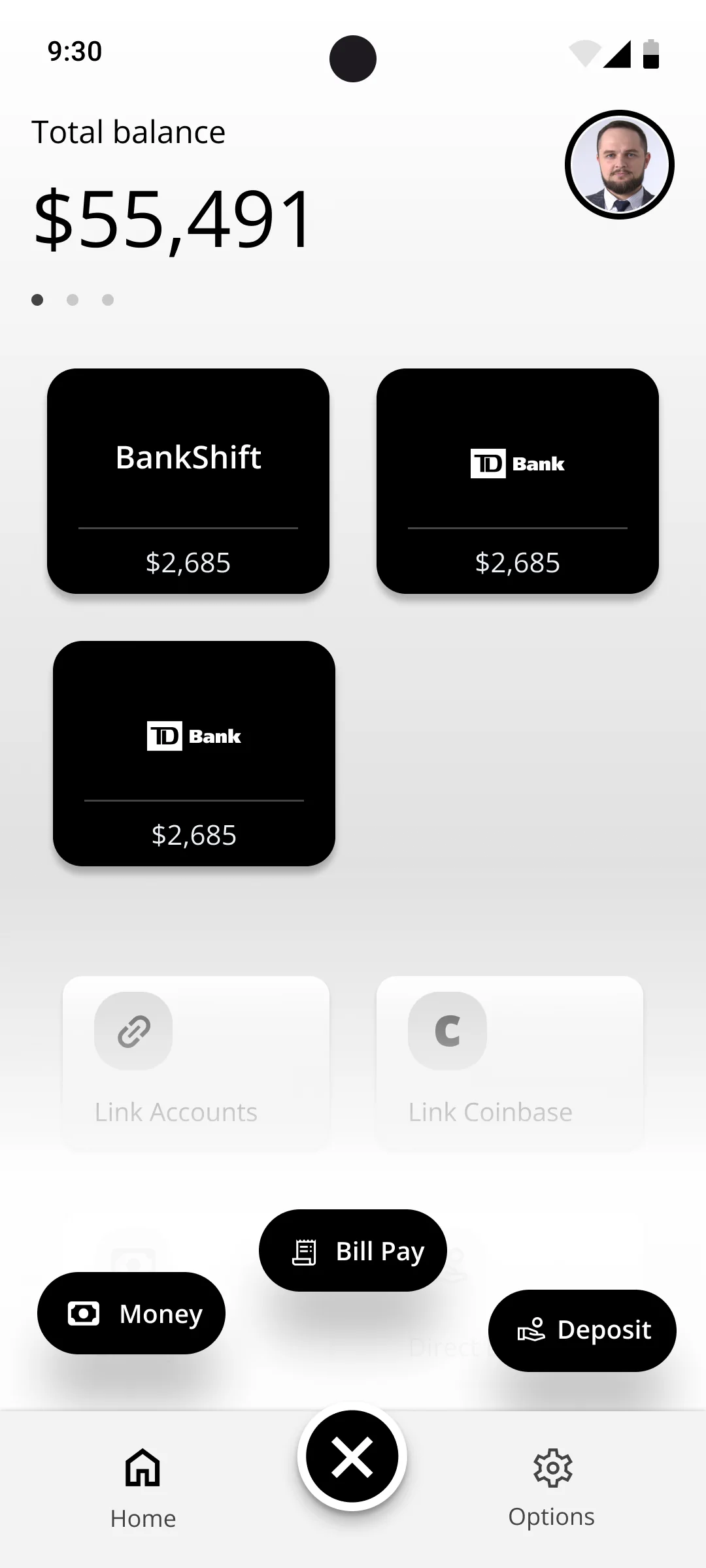
The home view brings linked institutions and a total balance into one place. An expanded action menu groups Money, Bill Pay, and Deposit around the central navigation control.
Explore the design ↗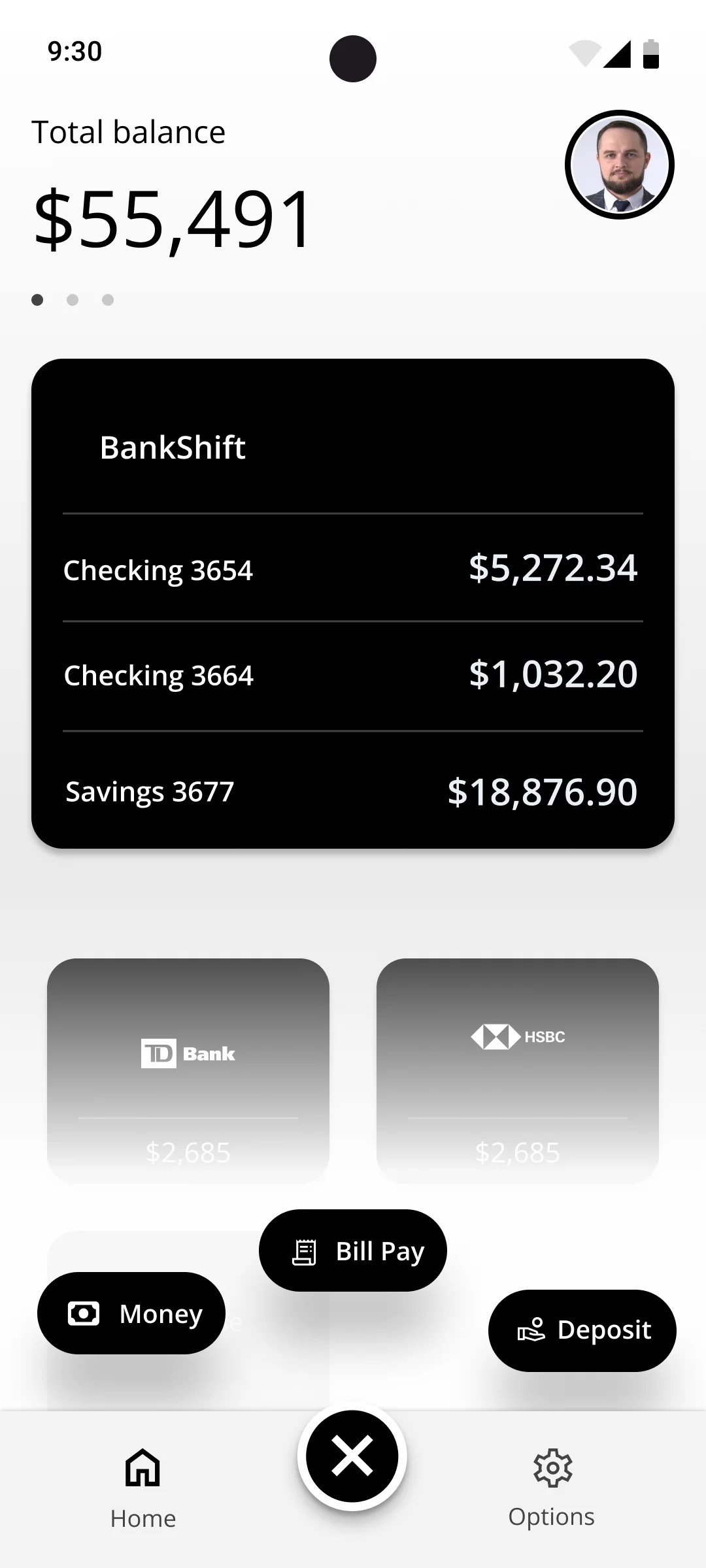 Explore this screen ↗
STEP 02 / 04
Expanding BankShift reveals checking and savings accounts with their individual balances. Other institutions remain visible below, preserving the broader account context.
Explore the design ↗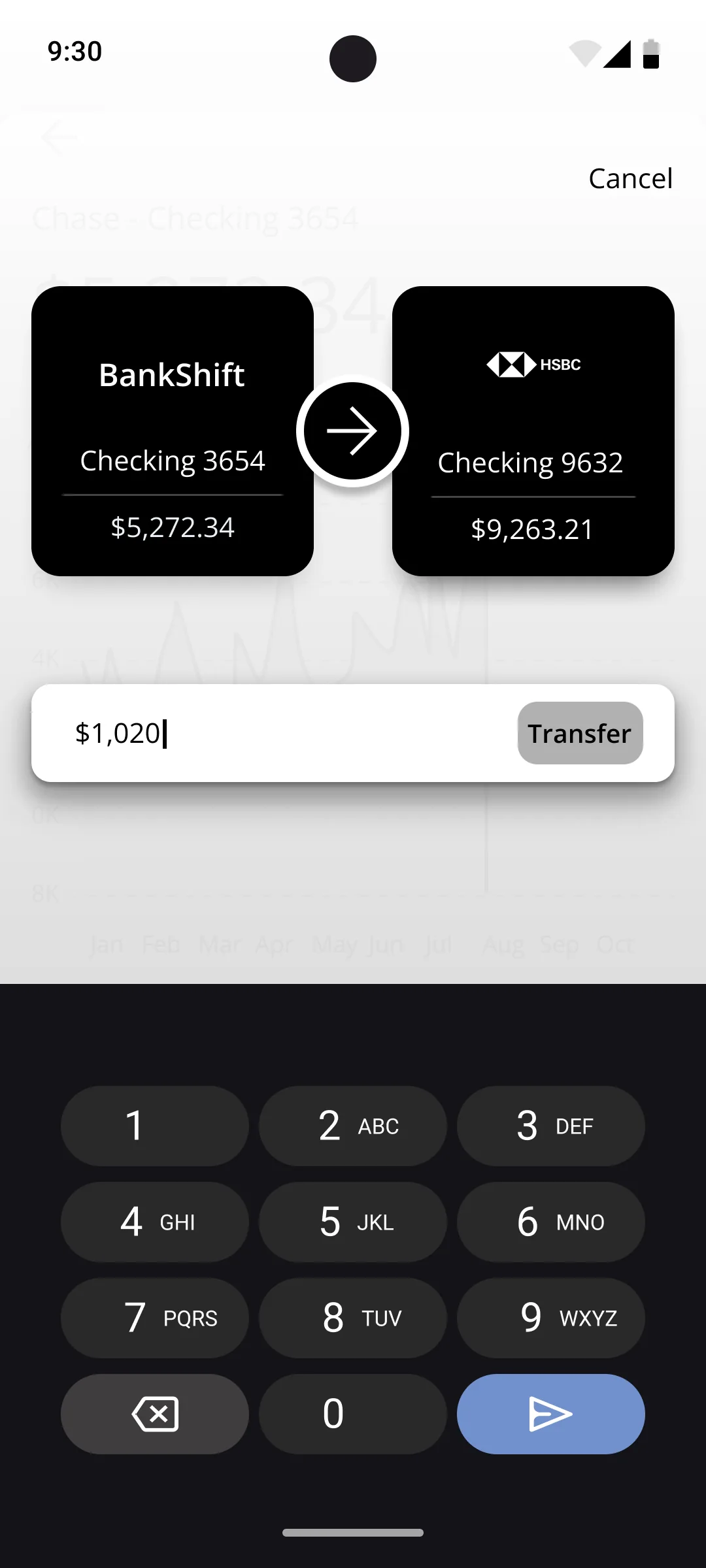 Explore this screen ↗
STEP 03 / 04
Source and destination accounts sit side by side with a directional arrow. Amount entry and a transfer action stay together above the numeric keyboard.
Explore the design ↗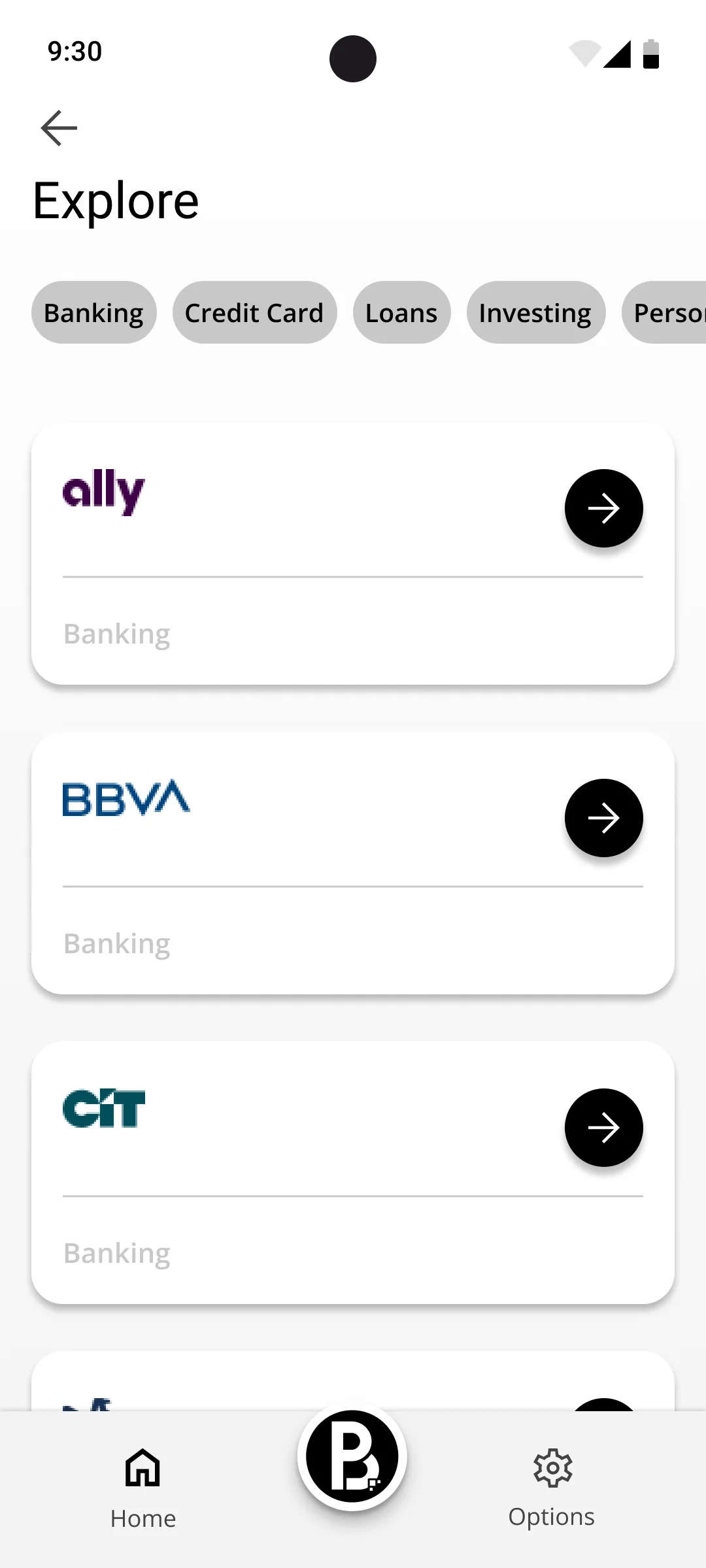 Explore this screen ↗
STEP 04 / 04
Category chips organize banking, credit cards, loans, and investing. Institution cards repeat a clear title and forward action for browsing the available options.
Explore the design ↗01 / Overview
The home view brings linked institutions and a total balance into one place. An expanded action menu groups Money, Bill Pay, and Deposit around the central navigation control.
02 / Accounts
Expanding BankShift reveals checking and savings accounts with their individual balances. Other institutions remain visible below, preserving the broader account context.
03 / Transfer
Source and destination accounts sit side by side with a directional arrow. Amount entry and a transfer action stay together above the numeric keyboard.
04 / Explore
Category chips organize banking, credit cards, loans, and investing. Institution cards repeat a clear title and forward action for browsing the available options.
More of the experience
Eight additional screens show account activity, transfer states, and mobile check deposits. Select any design to explore it in HD.
Balances, activity, and wallet views.
A second institution uses the same account-card structure.
A balance, spending chart, and transaction list share one account view.
The wallet view carries the same chart and action structure into a different account context.
From amount entry to a waiting state.
Source and destination remain visible before an amount is entered.
The transfer pattern is reused for a different pair of institutions.
A dedicated waiting screen explains that information is being verified.
Capture a check and prepare the deposit.
A framing guide and camera controls support photographing the front of a check.
Check images and the destination account stay visible beside the amount-entry step.
Connecting the experience
The selected screens show how a consistent card language connects institutions, individual accounts, transfer details, and product discovery.
Original Figma design exports. Balances, account details, and institution names shown are interface sample content.
All featured work ↗ Next: Volindo ↗